
Product Description
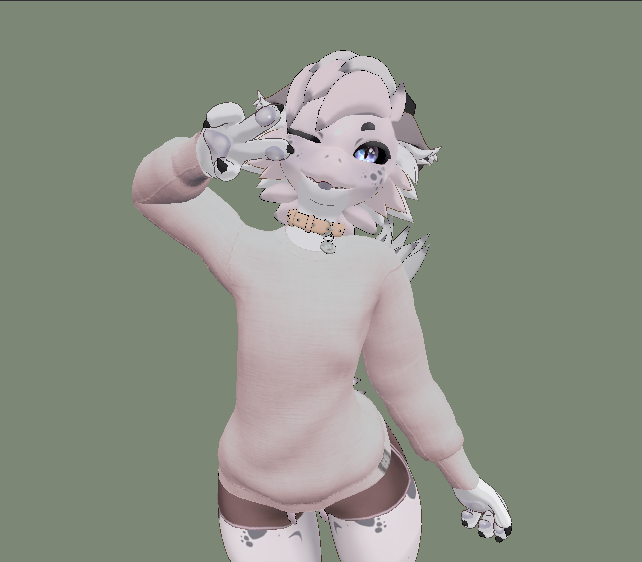
Unishirt is a simple full length shirt made for the Delphy Kobo - VRChat
The purpose for this shirt is to provide a high quality, default style clothing option with good coverage.
- 7,268 Triangles.
- This asset is designed for PC / PC-VR use. Some features may not work on mobile platforms or may appear in lesser detail and incorrect shading.
- This is made to be used on the VRChat avatar Delphy Kobo made by Zelf (Zelfine).
You must have purchased Delphine Kobo from Zelfine and understand how to upload it for use in the game in order to use this asset.
- This asset uses the same Poiyomi Toon Shader and VRCFury packages that Delphy Kobo relies on.
See Below For Installation Instructions
Compatibility
The shirt is made with linked blend shapes that allows it to follow the body as you tweak the built-in menu settings.
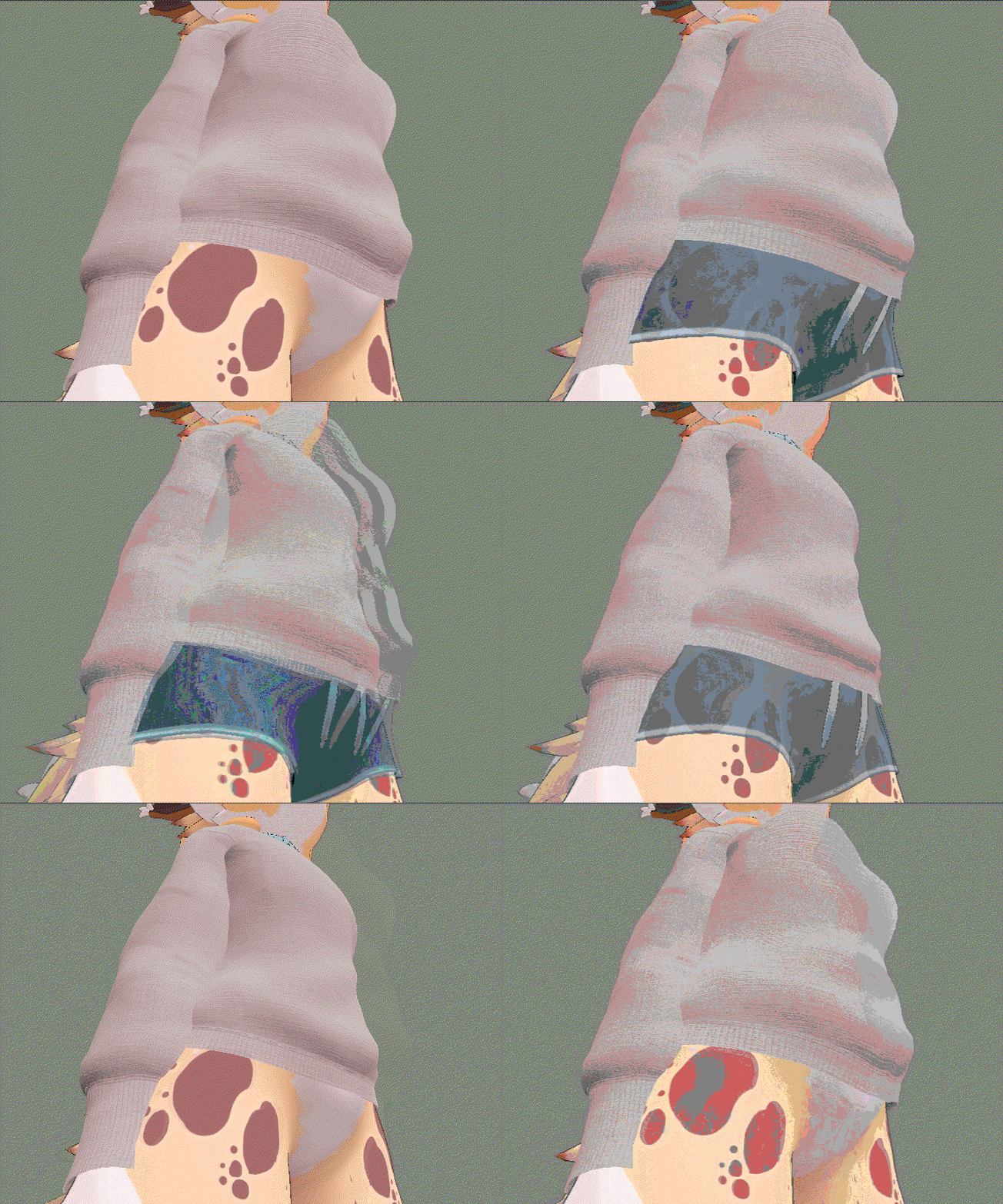
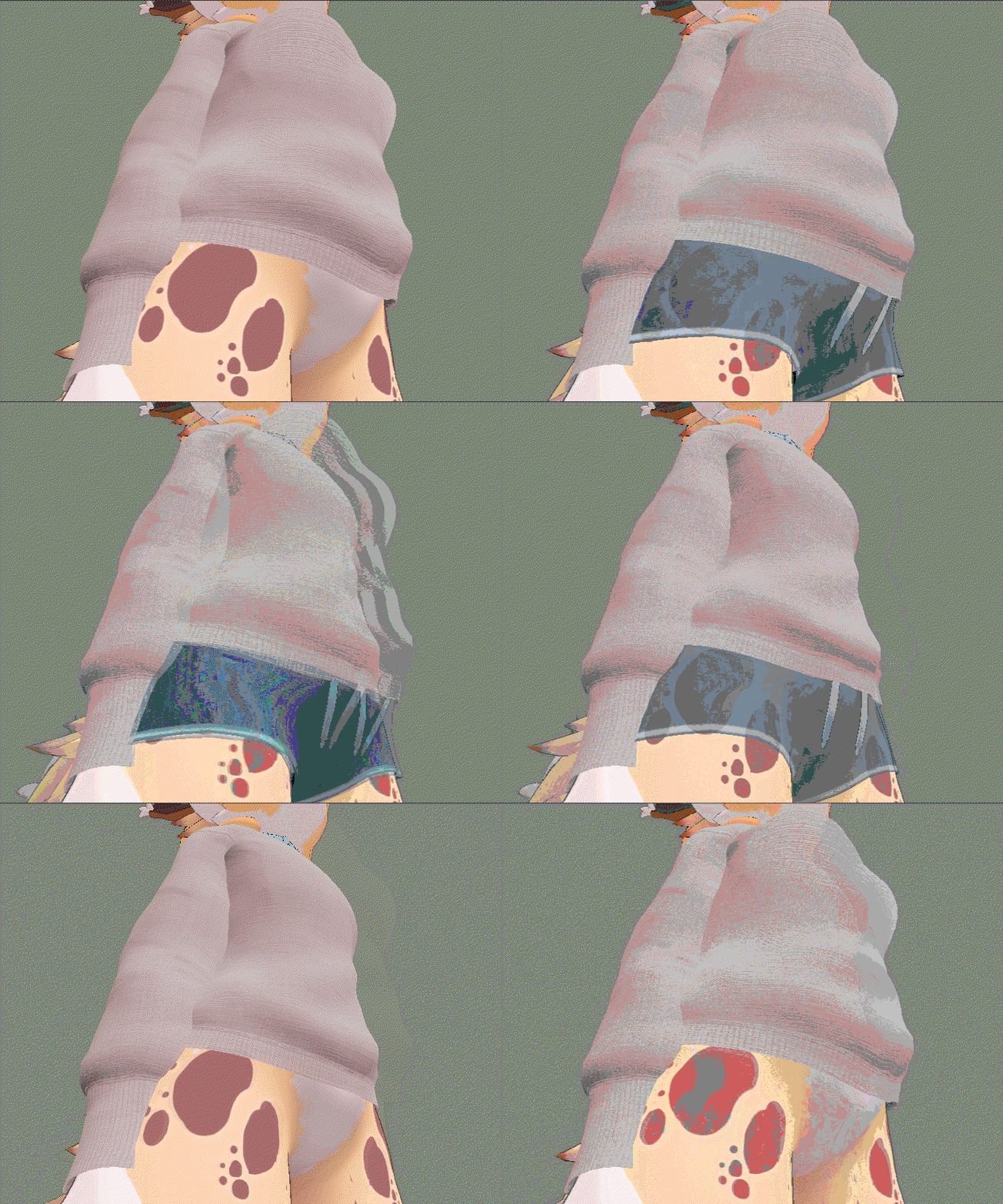
Made with compatibility for the shorts that are included with the Full version of Delphy Kobo
(Because this shirt is long and follows closely to the body, pants options other than the default shorts and skin-tight options probably will clip this shirt when equipped)
Menu Options
For the purpose of simplicity, there are only two menu options included with this shirt,
The Unishirt menu item can be found in Delphy's default clothing menu when you hit Next.
This will equip or remove the Unishirt from Delphy
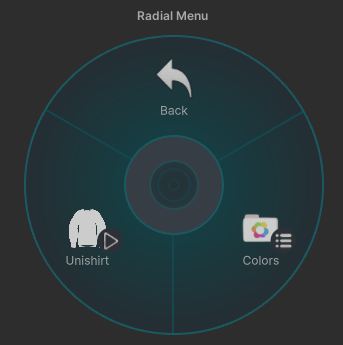
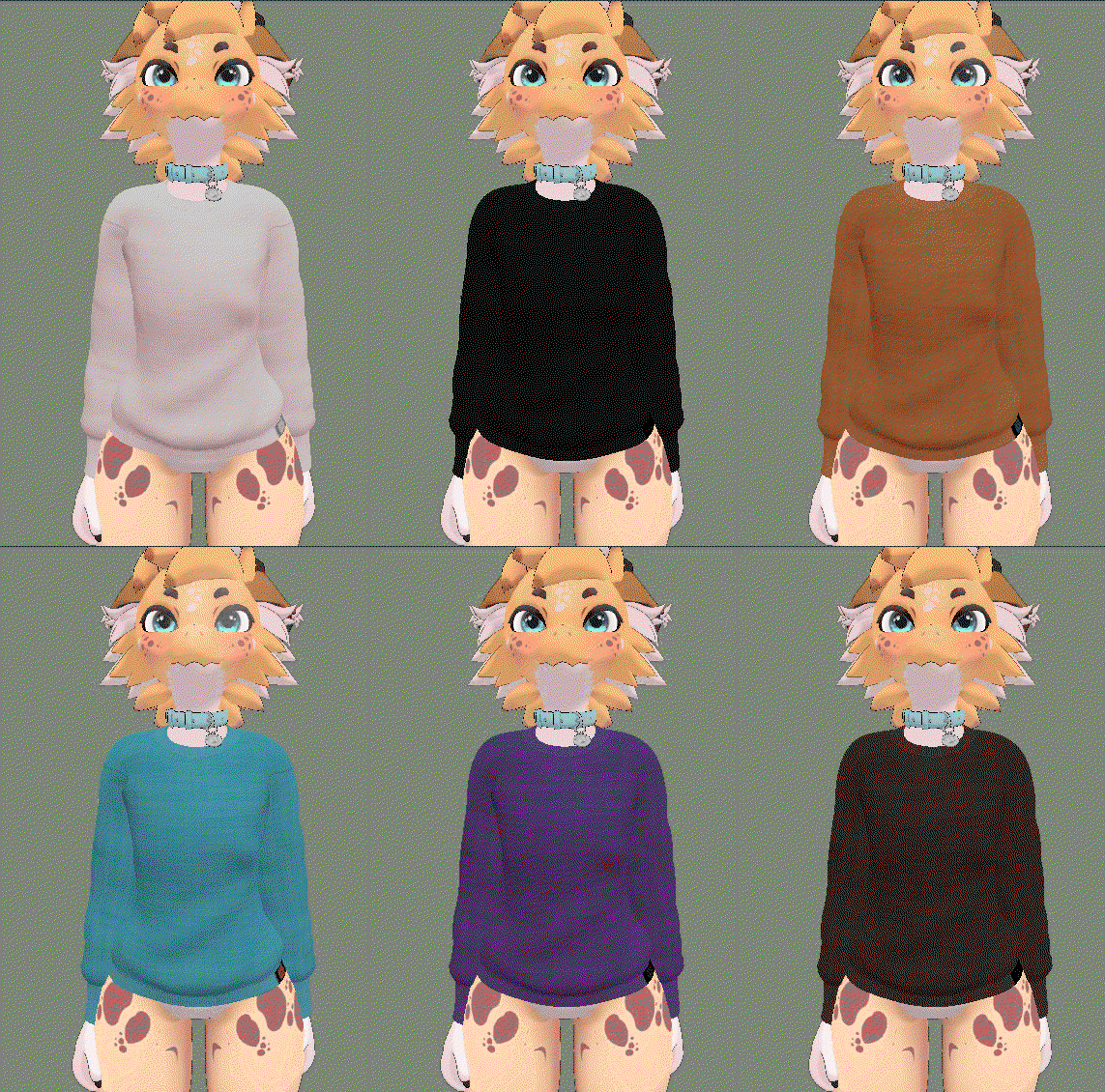
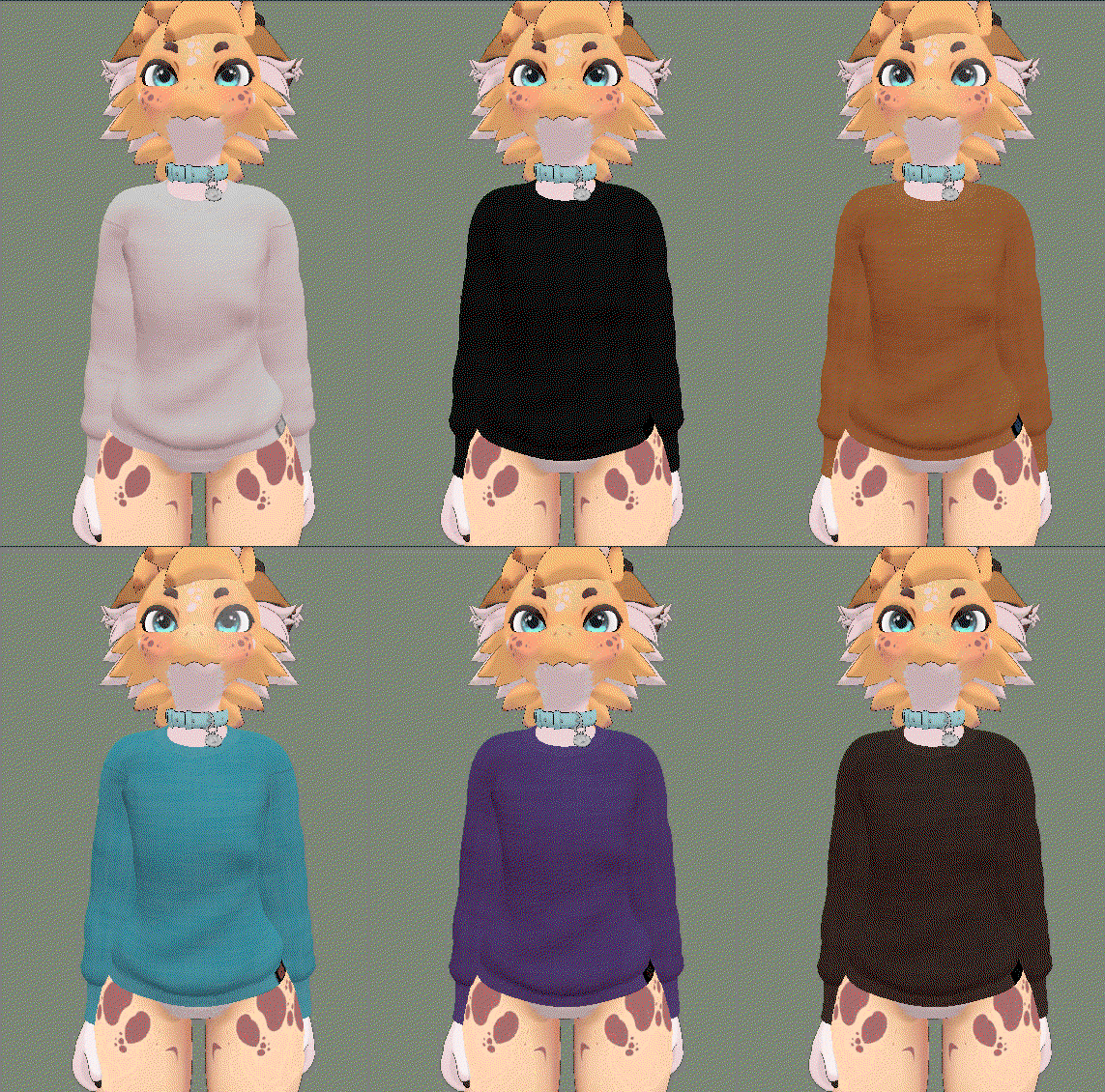
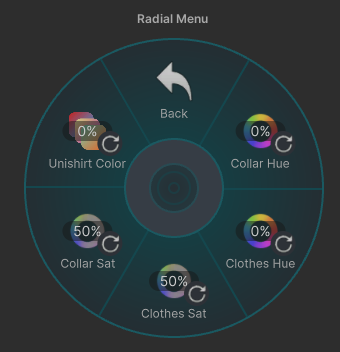 Within the Colors Menu you will find the new setting, Unishirt Color.
This setting will let you select from an arrangement of 12 Colors, and a 13th option for rainbow.
 Terms of Use
This asset is provided for Personal Use Only
Personal Use Only: Purchasing this Product grants you a single, non-transferable license to use the avatar/asset for personal, non-commercial purposes.
Modification: You may modify, re-texture*, or edit the Product for your own use, but these Terms of Service still apply to the modified version.
*Re-textures may not remove, obscure, or relocate the "M-87 M-87" label.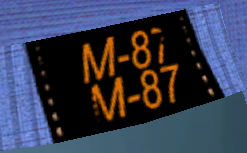 Redistribute or Resell: Sharing, trading, leaking, or reselling the files (even if modified) is strictly prohibited
Public Uploads: Uploading the Product to public avatar pedestals in VRChat or any other platform's public repository is permitted
Price Splitting & Group Buys: Sharing the download link or project files with friends, co-purchasing, or sharing via Discord/social groups is strictly prohibited
AI Training: Using these models or assets to train Artificial Intelligence generators or models is prohibited
Installation
Installation for this is very simple.
- First download the Unishirt by M-87.unitypackage
- Next, from your Unity project where you have the Delphy Kobo avatar loaded, go to:
- Assets > Import Package > Custom Package...
- Select the Unishirt package you downloaded earlier, and click Import
- Once import is complete, you can navigate the Project tab (Usually near the bottom of the screen) to Assets > M-87
- Here you'll find the Unishirt prefab.
- Just drag this to your avatar root.
This asset *should* work with all versions of Delphy Kobo
If you are having any issue with using this asset or discover an error in its design, please feel free to contact me at [email protected]
I will try my best to resolve any issues as quickly as I'm able to.