Product Description
⭐ Please Rate, Review, and Share this page with everyone. It will help people discover this tool and my other assets.
💎Animator Controllers at Scale.💎
🚀Turn hours of repetitive work into seconds.🚀
Create hundreds of transitions, organize massive controllers, and automate repetitive tasks.
Join my discord to connect with me and give me your feedback on the tool
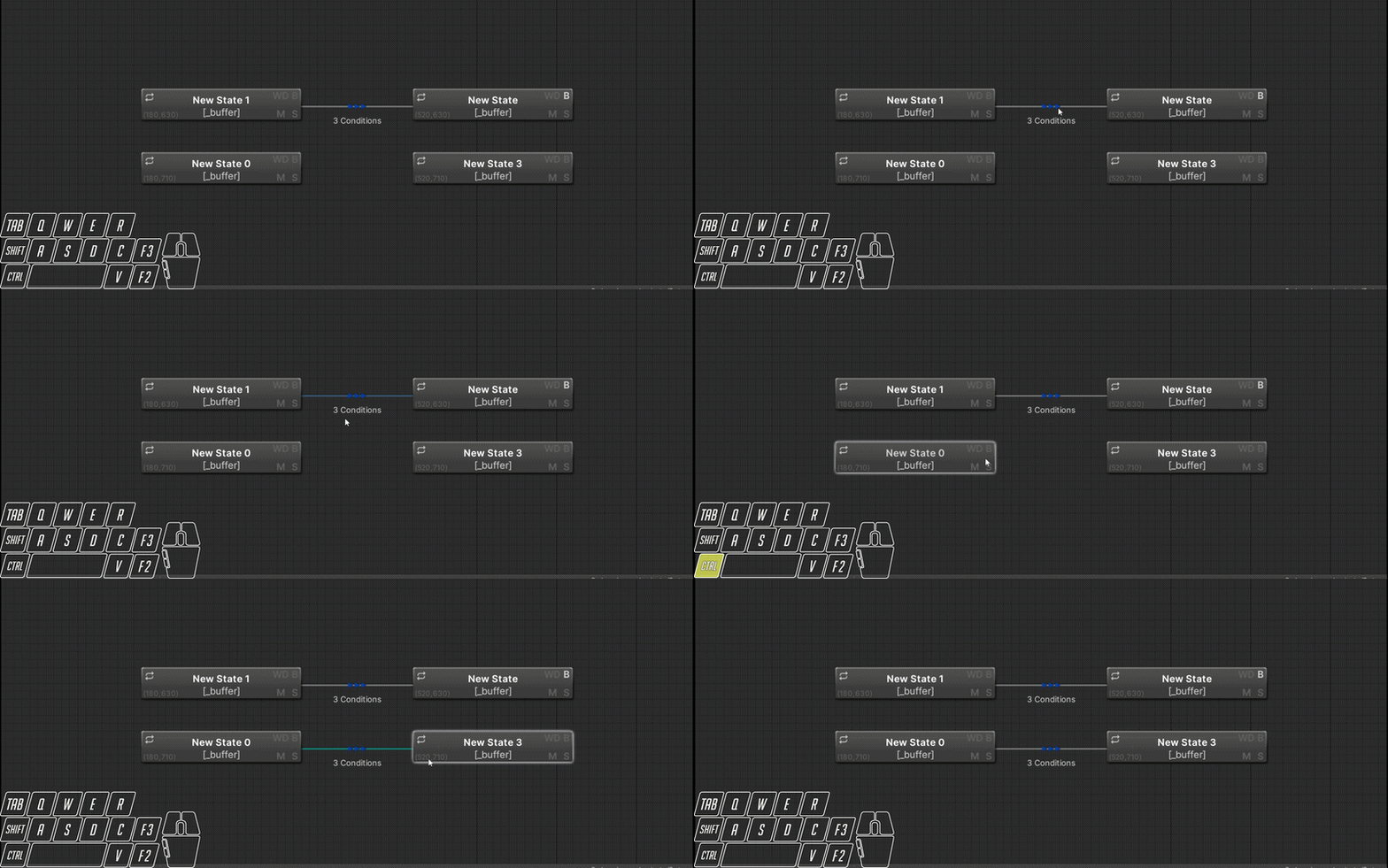
All for One and One for All - Save your mouse buttons and create all your transitions at once
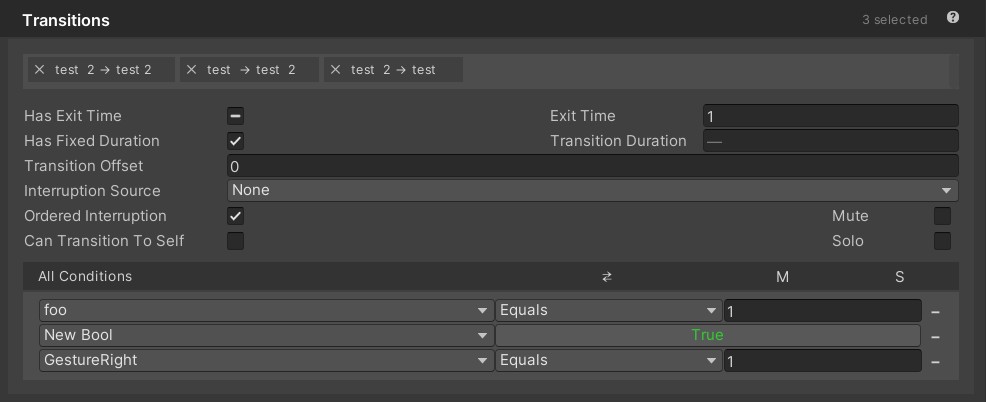
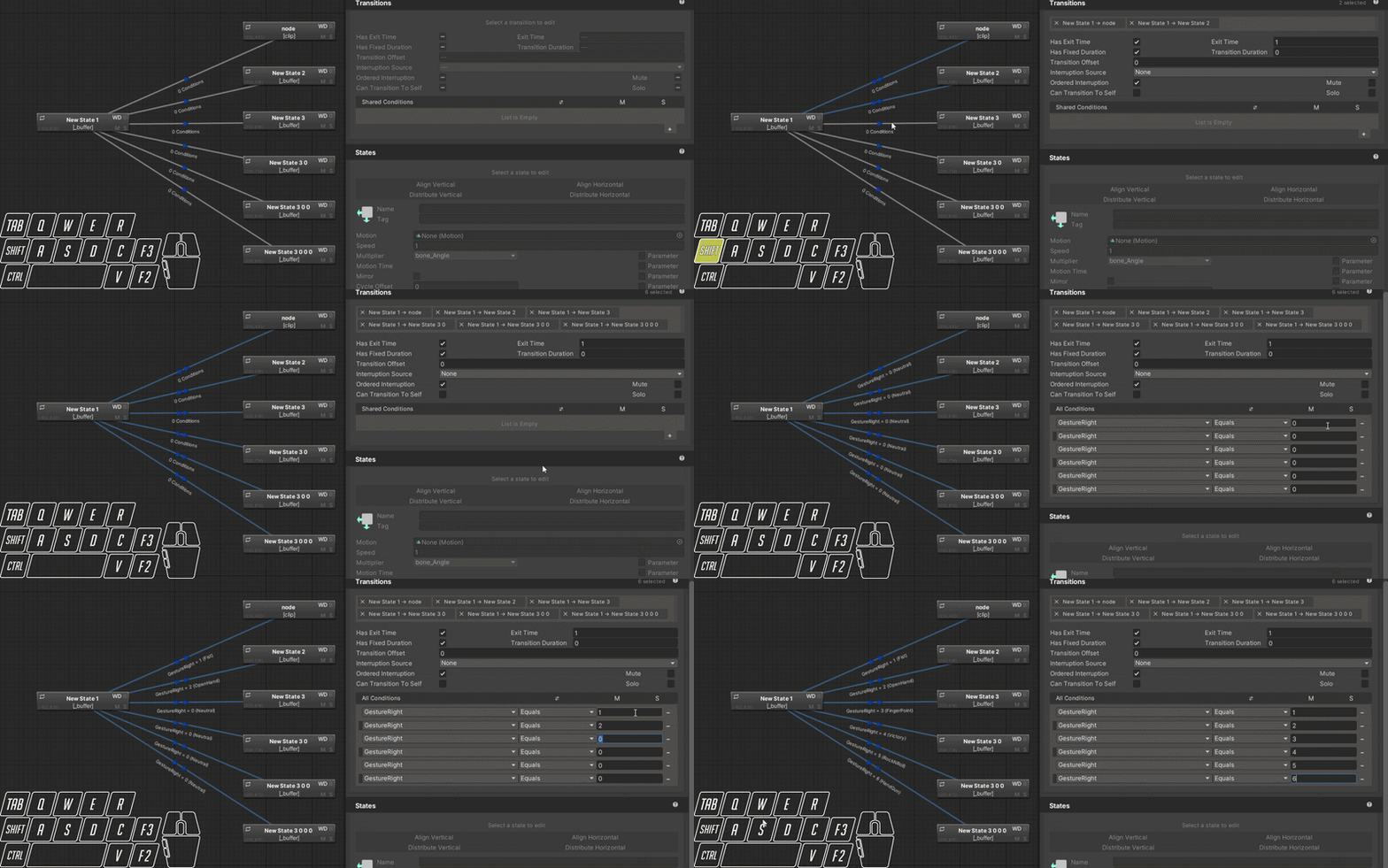
Edit all your transitions together or batch them out quickly
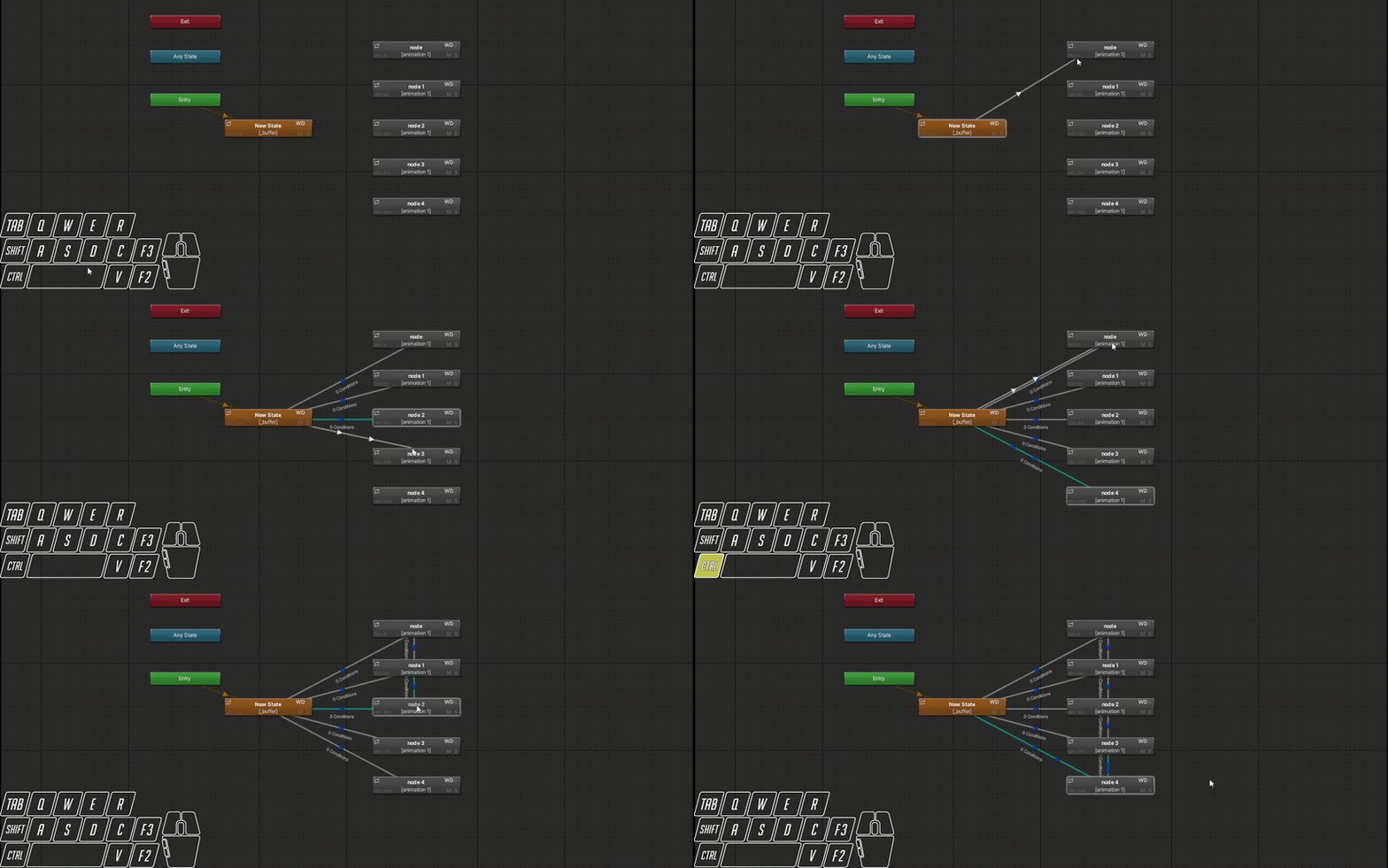
Chain or Fan out transitions to quickly setup the framework of your layers. Combine with double clicking to create new nodes and transition to them as you go
Copy paste your transitions, literally. Its just a Ctrl+C / Ctrl+V away, and it also works on entire blend trees!
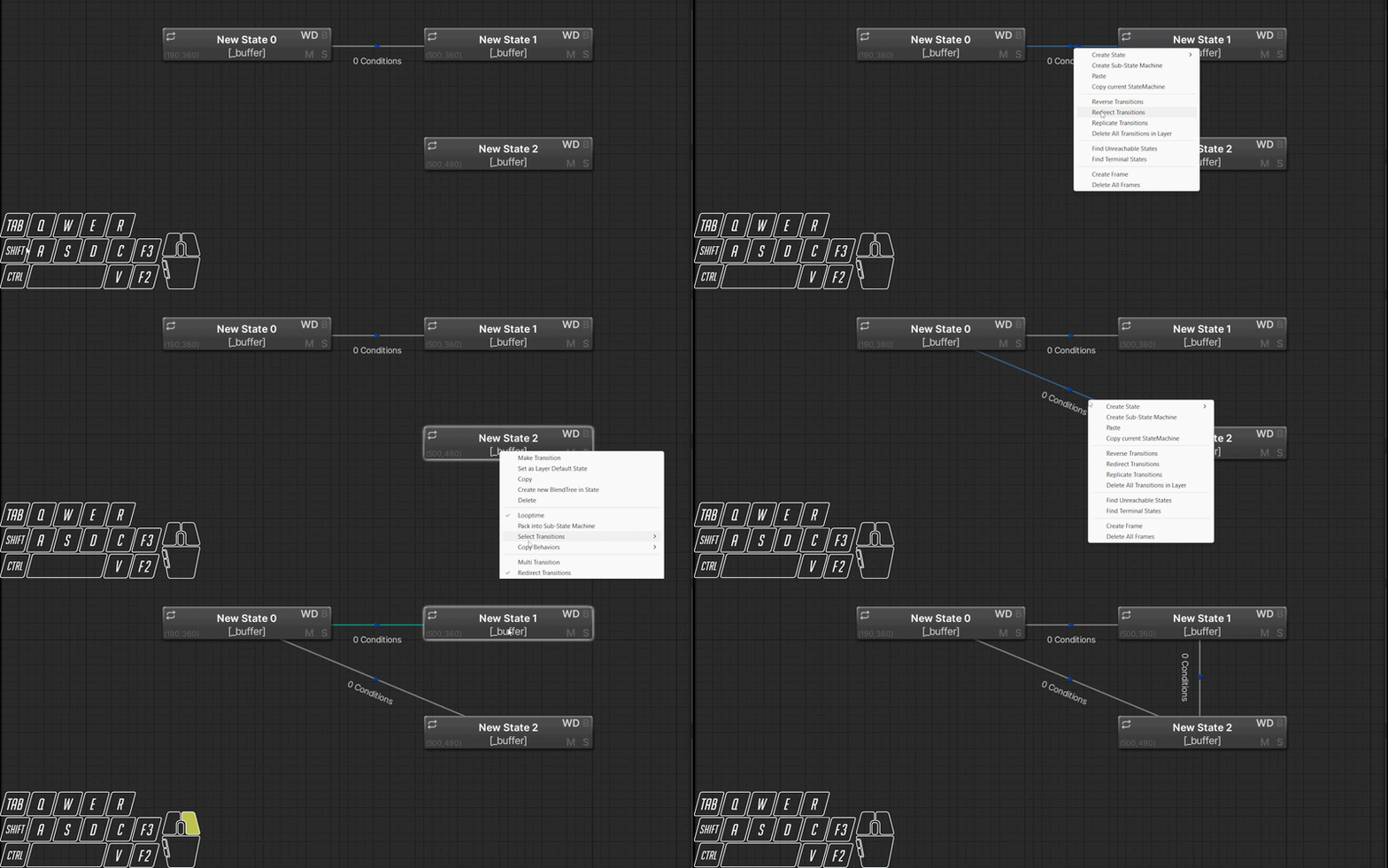
Transitions going to the wrong place? Redirect them!
Want others to join in? Replicate them!
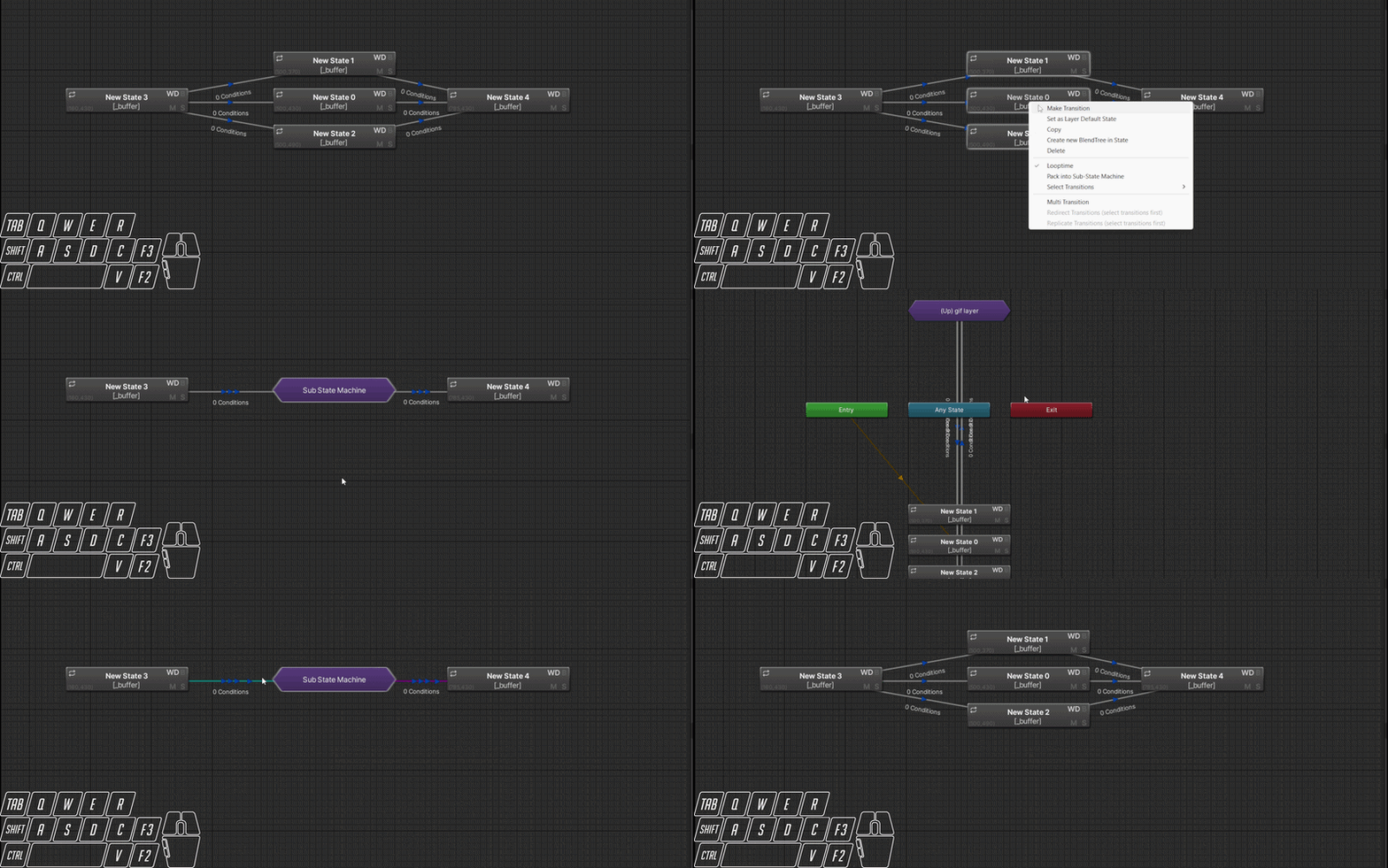
Layers messy? Clean the mess by sweeping it under the rug and pack the nodes into a sub state machine. Out of sight out of mind.
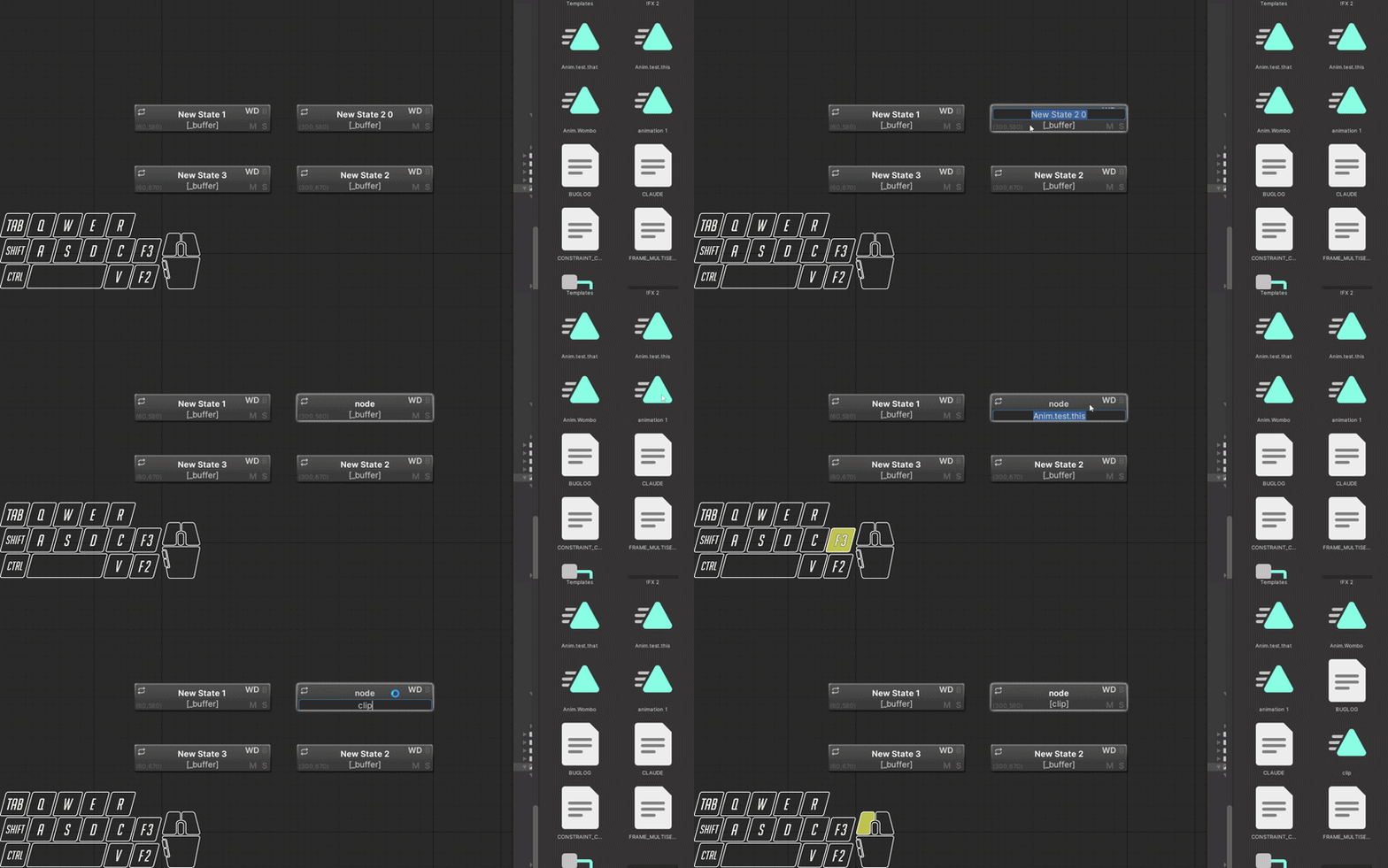
Want to rename that node or animation clip? Quickly do it right where you are with F2 (node name) and F3 (clip name).
Drag and drop clips from your assets folder onto nodes to set their motions, or onto blend trees to add a motion or update a motion!
Renaming clips with f3 also renames them in your assets folder, F2/F3 also supported in Blend trees and Layers/Parameters list!
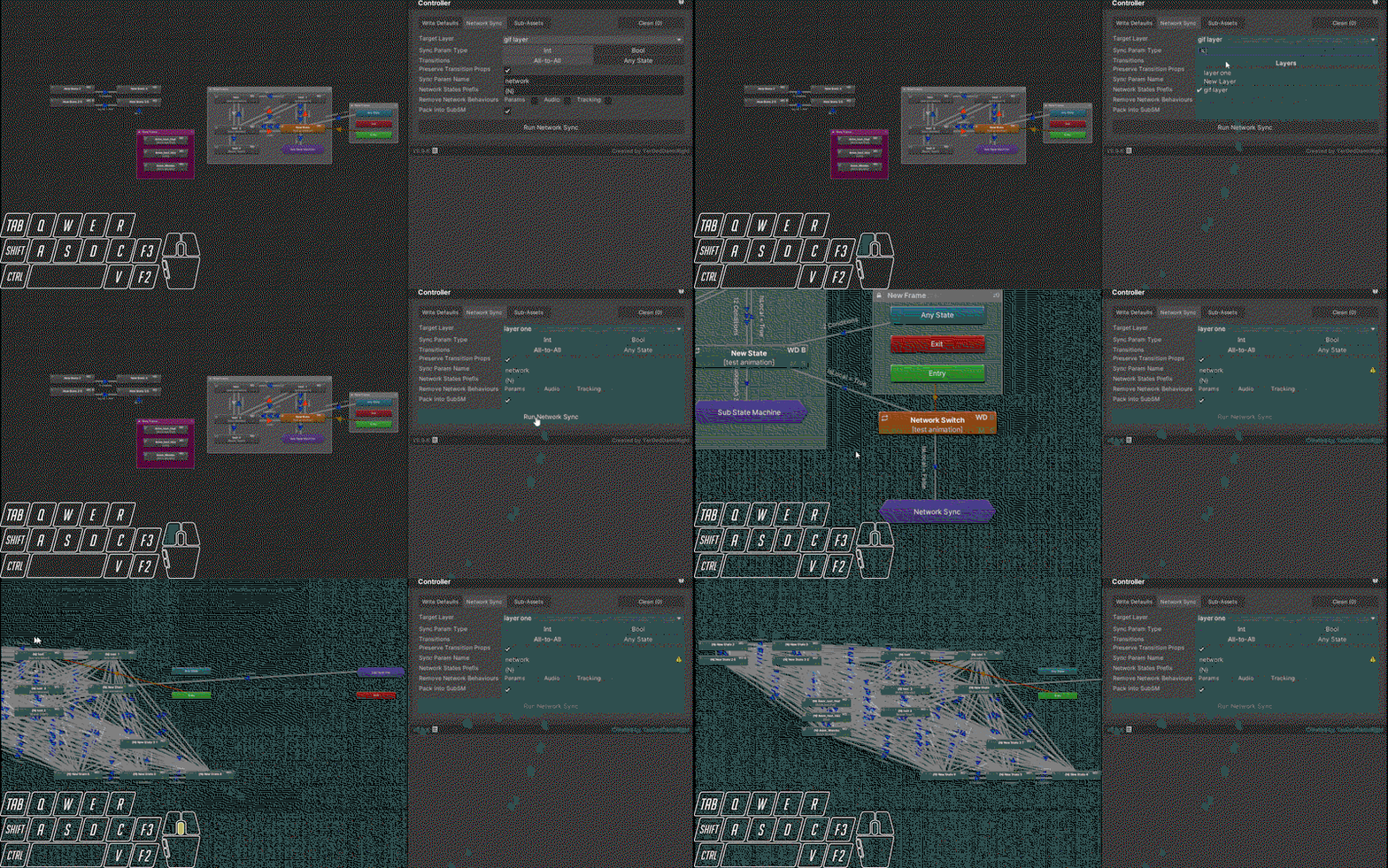
Friends telling you they don't see your props or toggles? Have complex layers you need to be synced for everyone? You need to network sync that layer. This single tool use will save you countless hours, and endless clicking and verification.
- Set the layer to sync
- Use Bools or Ints for syncing parameters
- Change how transitions happen, spiderweb of All to All or directly from the Anystate node
- Set the new parameter to be created name, bools append numbers to extra params
- Prepend a name before all newly created network state nodes to prevent duplicate names
- When all done do you want the network nodes packed neatly into a sub state machine?
- Automatically creates IsLocal if it doesn't exist, and adds Islocal = true to all source nodes, IsLocal = false to all new network nodes
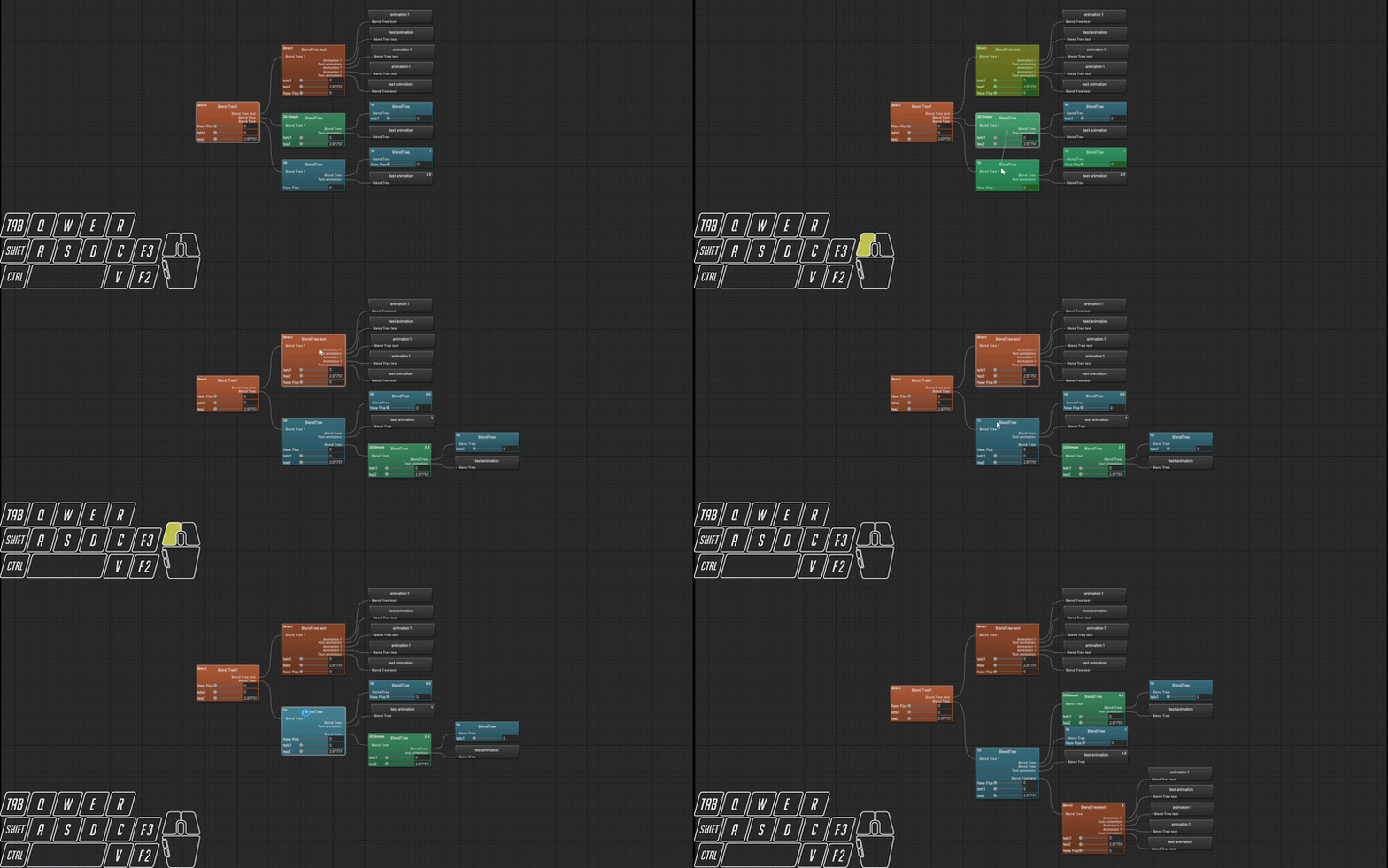
Reparent entire Blend trees and their children, or even Copy/Paste them to other Blend trees
- Drag and drop entire blend trees to new parents, with eligible nodes highlighted
- Right click node > menu item or Ctrl+C to copy the node and its children, select the new node right click > menu item paste or Ctrl+V to paste copy of node and its children
- Blend trees can be renamed with f3, and leaf nodes (clips) can be renamed with f3, changing the clip asset name as well
- Leaf nodes display their threshold value in the upper right
- Clips can be dragged from assets onto blend trees to add motion, or leaf nodes to replace motion
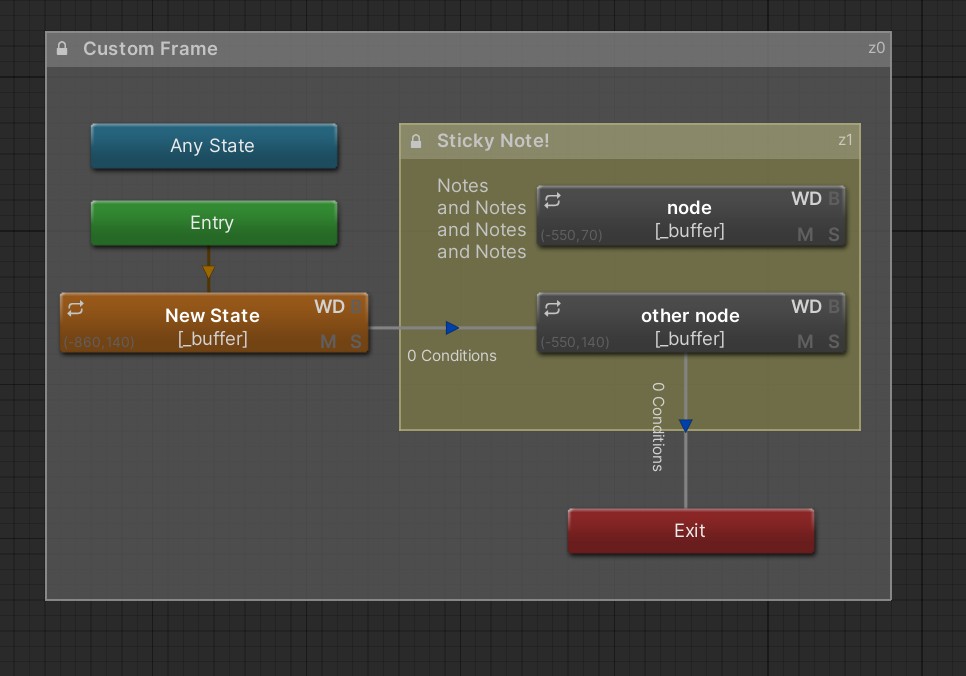
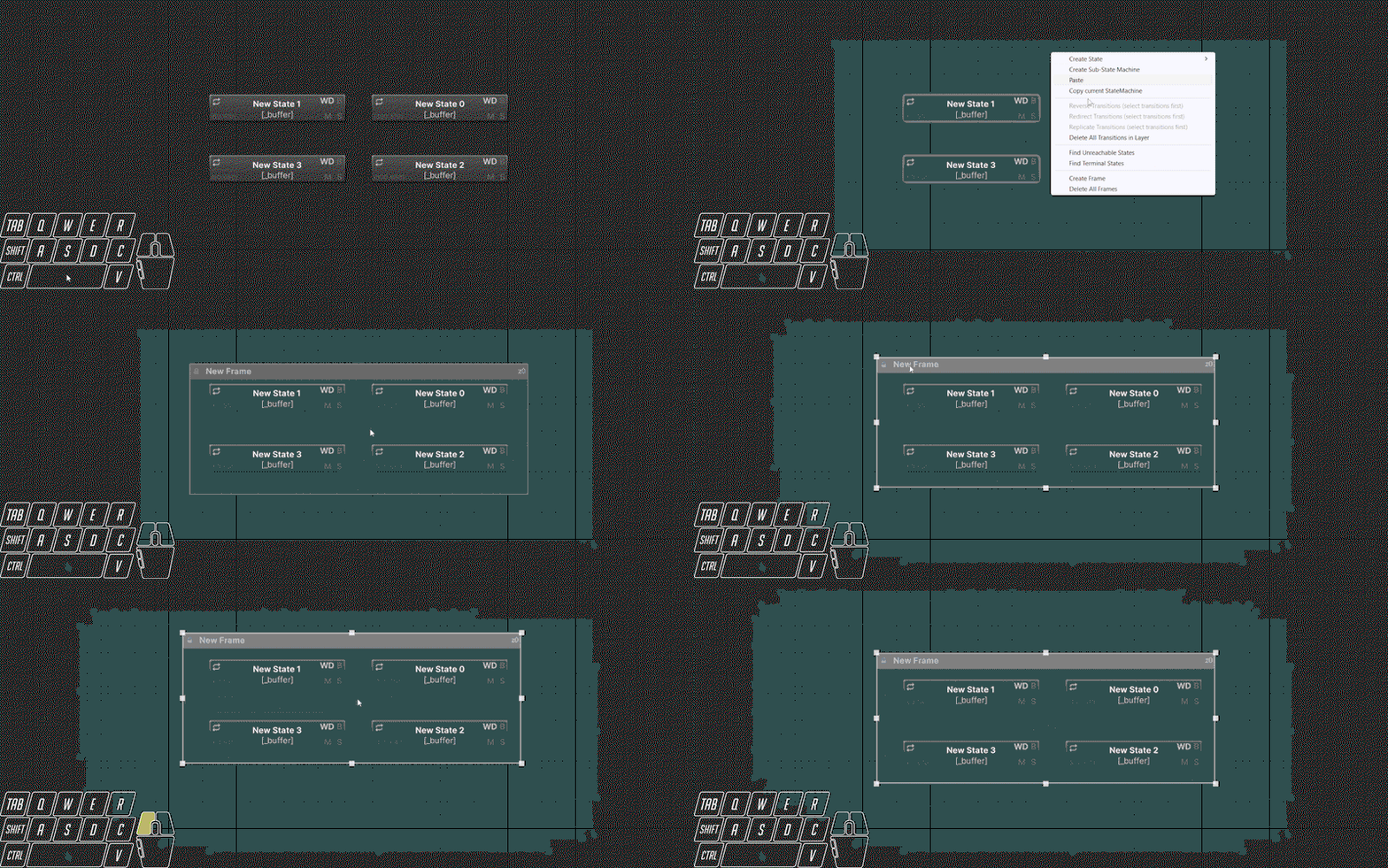
Love to stay organized? Like colors? Try out Frames, a completely new addition to your workflow based on Substance designer frames!
Frames support the following actions
- Rename title
- Add comments to the body
- Change color/transparency
- Move nodes with them, or just keep on the side as sticky notes!
- Change layering for multiple frames
- Send the controller to a friend with this tool, the frames go with it!
- Copy/Paste them anywhere
- Lock/Unlock them from accidental moves
See what gestures your transitions use at a glance with transition overlay labels enabled
- Know what VRC hand gestures your using without going into every transition
- Displays N conditions if more than 2 to prevent clutter
- See if the transition is invalid with arrow cap color or labels

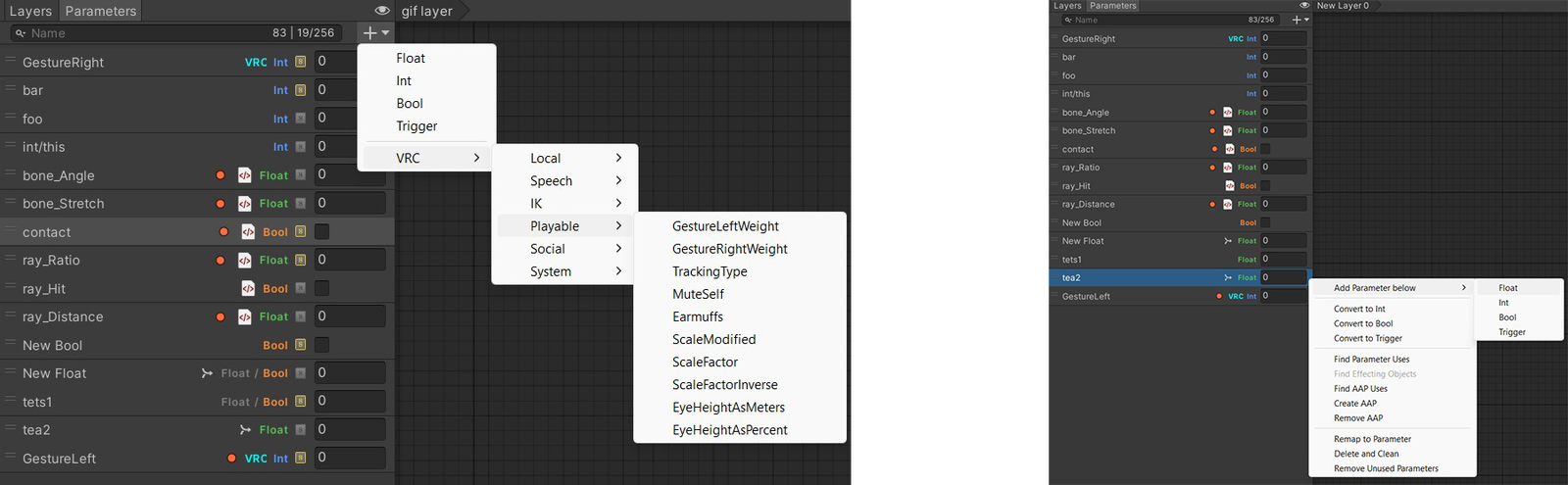
Keep track of your parameters like a command center. Easily see the state of every parameter, and go to where its used
- Type
- VRC Built-in
- Controller | Synced / Budget
- Synced status
- Is it used?
- Controlled by AAP / Create or remove from clips
- Used by GameObject Component
- Type Mismatch
- Quickly add Built in VRC Parameters
- Remap parameters
- Remove all unused parameters
Layers used a lot? Create templates or use existing ones. Also keep tabs on the state of your layers, or even collapse them to save space.
- See what layers are WD on / Off / Mixed
- See which layers are empty
- See which layers contain Frames

Unity's right click on nodes but with actually useful stuff
- Instantly change clip loop time for clips in selected nodes and everywhere else they're used
- Quickly select all transitions to/from or both from selected nodes
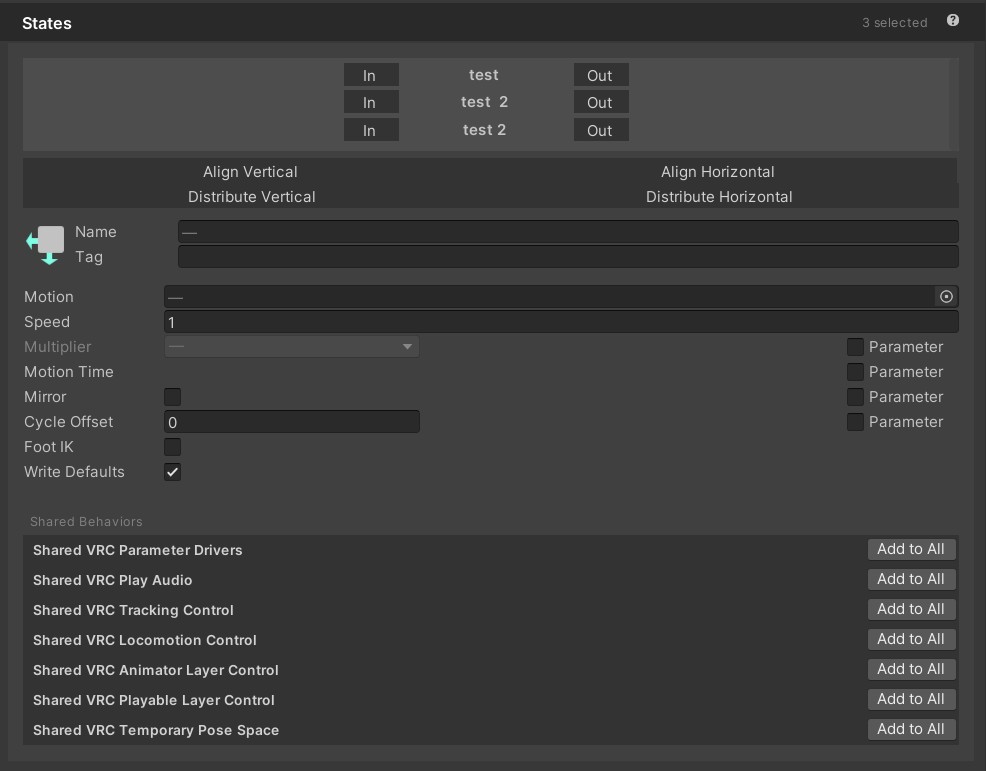
- Copy/Paste State Behaviors from one node to all selected nodes
- All new Analysis options to show which states are unreachable, and terminal that get your controllers stuck!
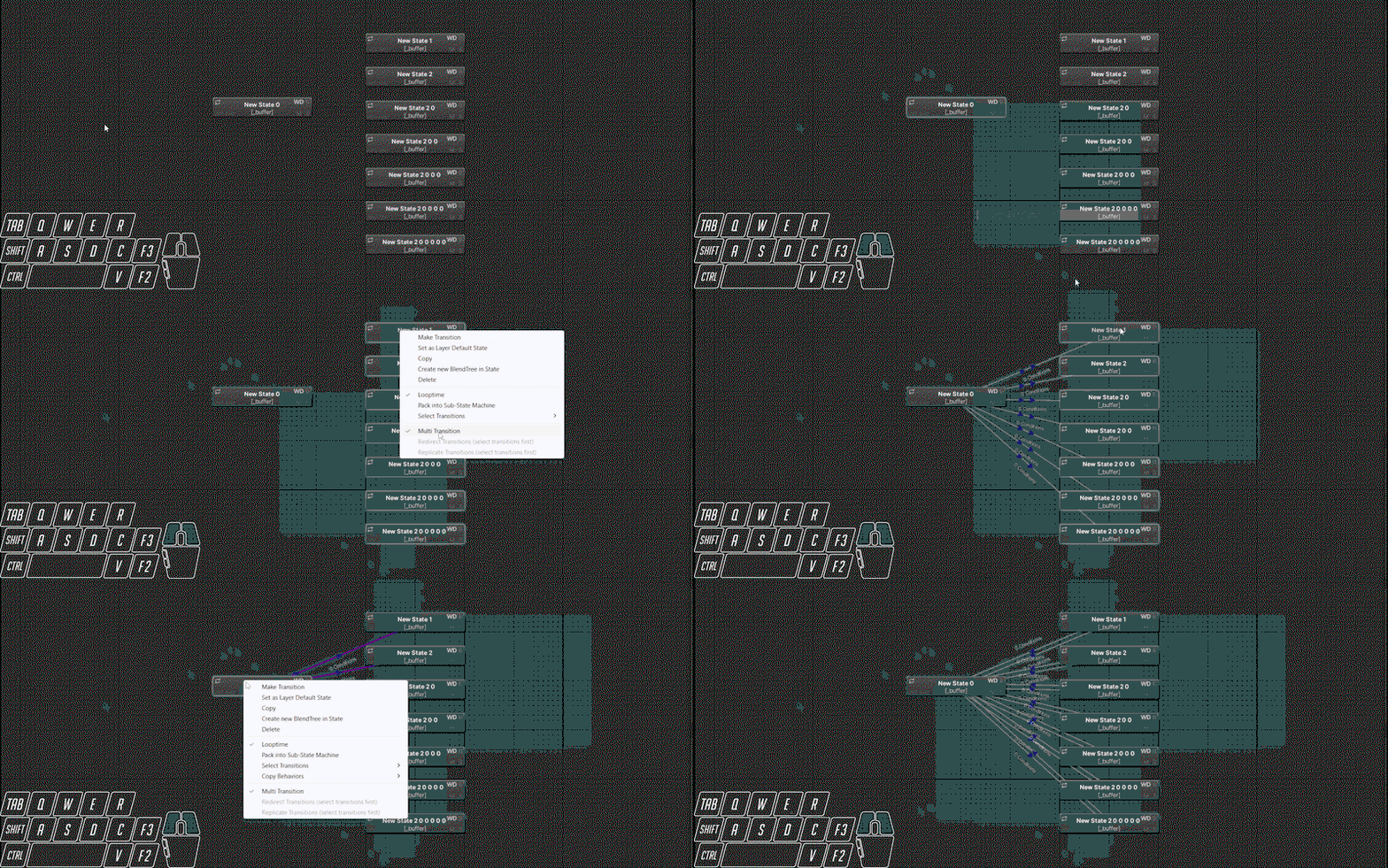
- Multi transition to save your mouse right clicks

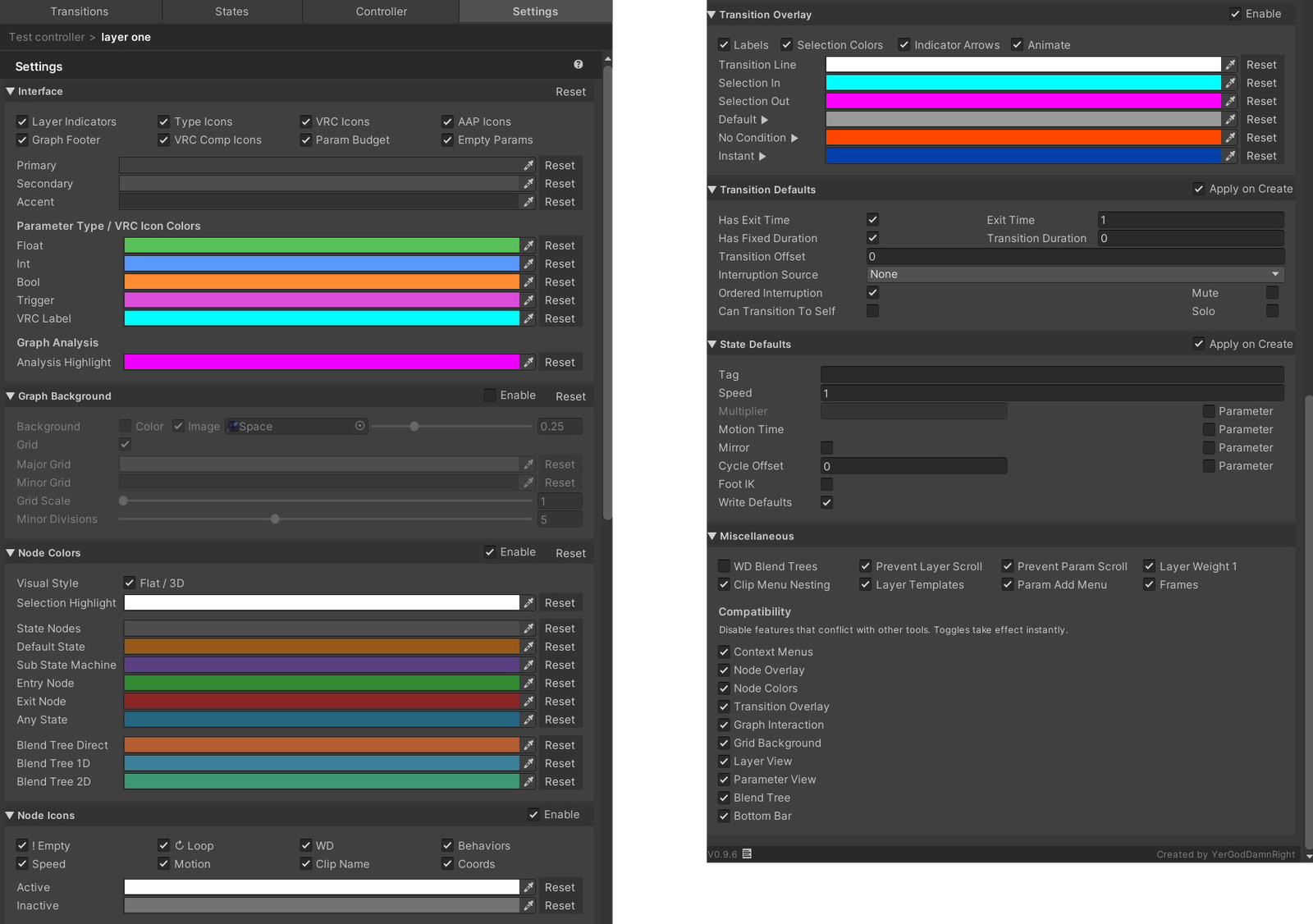
Expansive Settings that move between your projects
- Settings carry over to all your projects
- Compatibility ensures no conflicts with other tools unless you allow them
- Every color everywhere is up to you, including the very interface of the window!
- Make the interface yours, choose what you want to see and what's better hidden.
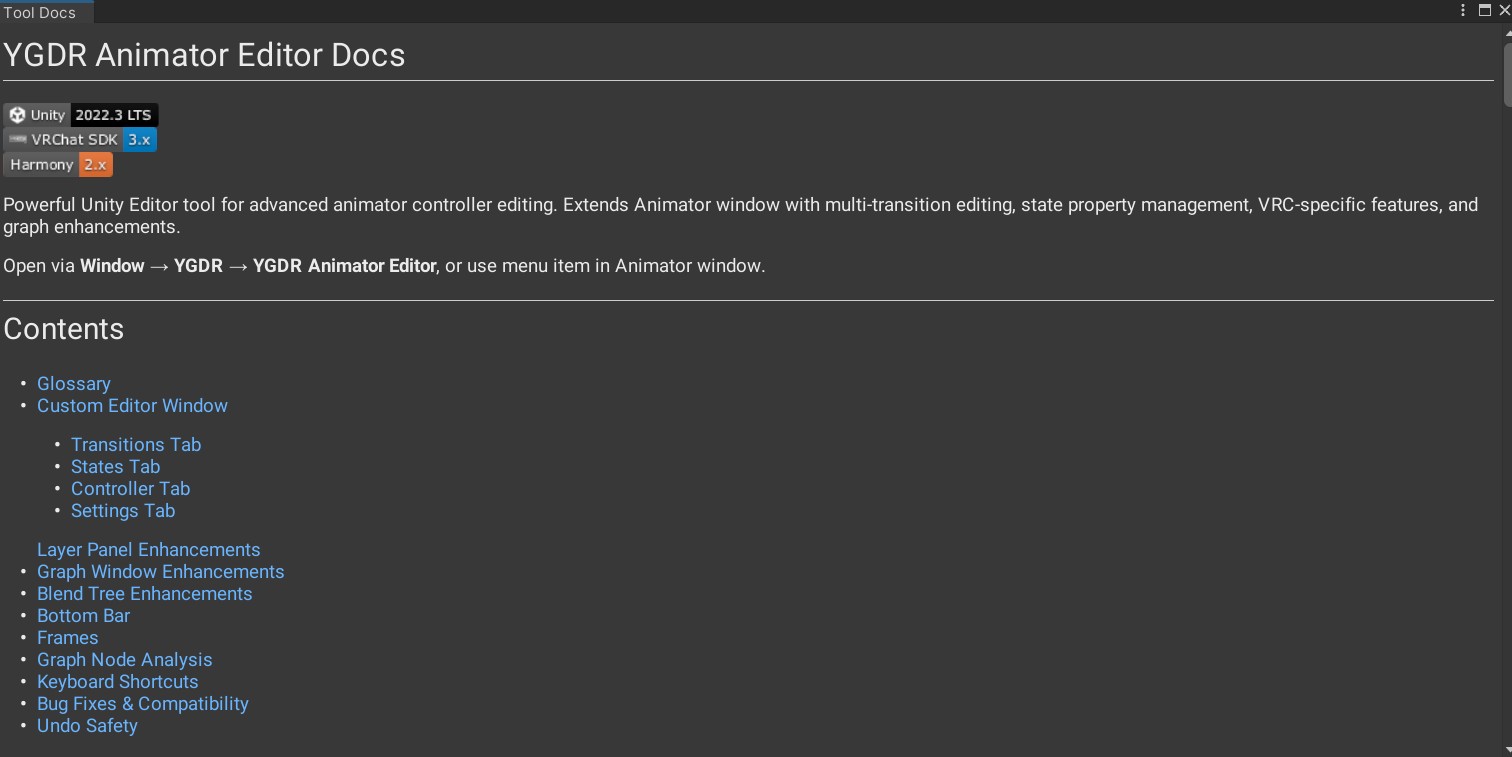
No need to hunt down the user manual PDF, or even come back here to find docs.
- Docs live with the tool and are context aware. See that ? symbol on each section, it'll tell you what happens there
- Docs need my other package, YGDR Markdown Viewer which is auto installed thru VCC and is an optional package. If you are a Tool or Asset creator looking to add nice looking docs to your package, its free to use and is very easy to implement.
Many more functions and customizations exist and are waiting for you to discover inside, what are you waiting for?
This tool exists to fix the issues of Unity and add the features that should've been there from the start. This is the tool the community needs, built to stay, open and accessible by all. I'm open to feedback, and want to continue improving the tool. If you have a request, I'm listening.
Changelog:
v0.9.7
- Added seeded multi/fan transitions
- Fixed shared transitions changing mixed values on mode change
v0.9.6
- Add transition incoming/outgoing selection from anystate/extry/exit nodes
- Ctrl+A select all nodes/ Ctrl+Shift+A select all transitions
- Multi transition from/to anystate/exit nodes
- Unused parameter indicators
- Added copy/pasting of state behaviors
- Changing parameter names, carries over to Game Objects
- Added double click node to make new transitions
- Added parameter context item to add parameter to selected clip as AAP
v0.9.5
- Layer indicator performance caching
- Parameter reorder/index/linked name fix
- MDV integration
- Transition anystate/entry/exit application
- Footer links
v0.9.4
- Codebase Restructure
- 3 Tier crash safety
- Compatibility toggles
- Clip Remapper
- Analysis Highlight
- Parameter budget
- Component param sibling naming
- Node placement bug fixes
v0.9.3
- Find Object Uses
- Parameter Icons
- Effecting Parameters
- Frames Feature
- Layer templates
- Grid custom background fixes
- Control Toggles
- Shared state behavior fixes
v0.9.2
- Visual Overhaul
- VRC Sync Icons
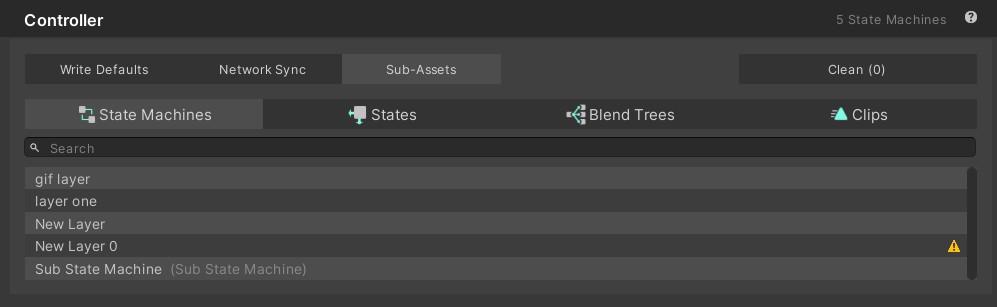
- Controller sub assets section
- Interface custom colors
- Find Uses window
v0.9.1
- Transition custom colors
v0.8.0
- Initial Release
Please credit me in your projects using the tool
Credits:
- MIT License
- rrazgriz RATS - Raz's Animator Tweaks 'n' Stuff for tool scaffolding and node color changing tech
- Andreas Pardeike - Harmony patching library
- hfcRed - Animation Repathing for functional inspiration
- Beta Testers:
- liindy
- wingmandraws
- ethyriel
- lunarvoid